> For the complete documentation index, see [llms.txt](https://help.makeshop.co.kr/llms.txt). Markdown versions of documentation pages are available by appending `.md` to page URLs; this page is available as [Markdown](https://help.makeshop.co.kr/manual/goods/undefined/undefined-9.md).
# (구) 상품 상세 공통 정보
## 관리자 메뉴 위치
`상품` > `상품 관리` > `상품 등록`
## 메뉴 안내 및 설정 방법
* `디자인` > `디자인 부가 설정` > `상품 상세 공통 정보 입력` 메뉴에서 공통 정보 입력할 경우 디자인 편집 페이지 기본 상품 상세 페이지에서 아래의 가상태그를 입력해 주세요.
{% code title="상품상세 공통정보" %}
```
```
{% endcode %}
* 위 가상태그가 입력된 위치에 공통 정보가 노출는데 상품별 \[공통 정보 사용 유무] 설정을 통해서 \
특정 상품에 대해서만 정보를 다르게 노출시키거나 공통 정보가 노출되지 않도록 설정할 수 있어요.
* 모바일샵은 `디자인` > `디자인 부가 설정` > `상품 상세 공통 정보 입력` 페이지 하단에 위 이미지와 같이 모바일샵 전용 공통 정보 입력하는 메뉴가 별도 존재해요.
<!--/mobile_shop_policy/-->
* 위 가상태그를 통해서 모바일샵 상품상세 페이지에 공통 정보 노출이 가능해요.
* 단, 위 가상태그 사용 시 상품별로 개별적으로 입력한 \[개별 상품 정보 입력] 기능은 적용되지 않고모바일샵 공통 정보만 노출이 가능해요.
{% hint style="warning" %}
참고
* 공통 정보 입력하는 관리자 메뉴 위치 : `디자인` > `디자인 부가 설정` > `상품 상세 공통 정보 입력`
* 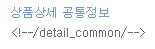
* 위 가상태그의 경우 PC / 모바일 모두 사용이 가능해요.
* PC / 모바일 동일하게 적용 원할 경우에는
PC / 모바일 모두 위 가상태그를 활용해서 공통 정보가 노출되도록 개별 작업 진행이 필요해요.
{% endhint %}